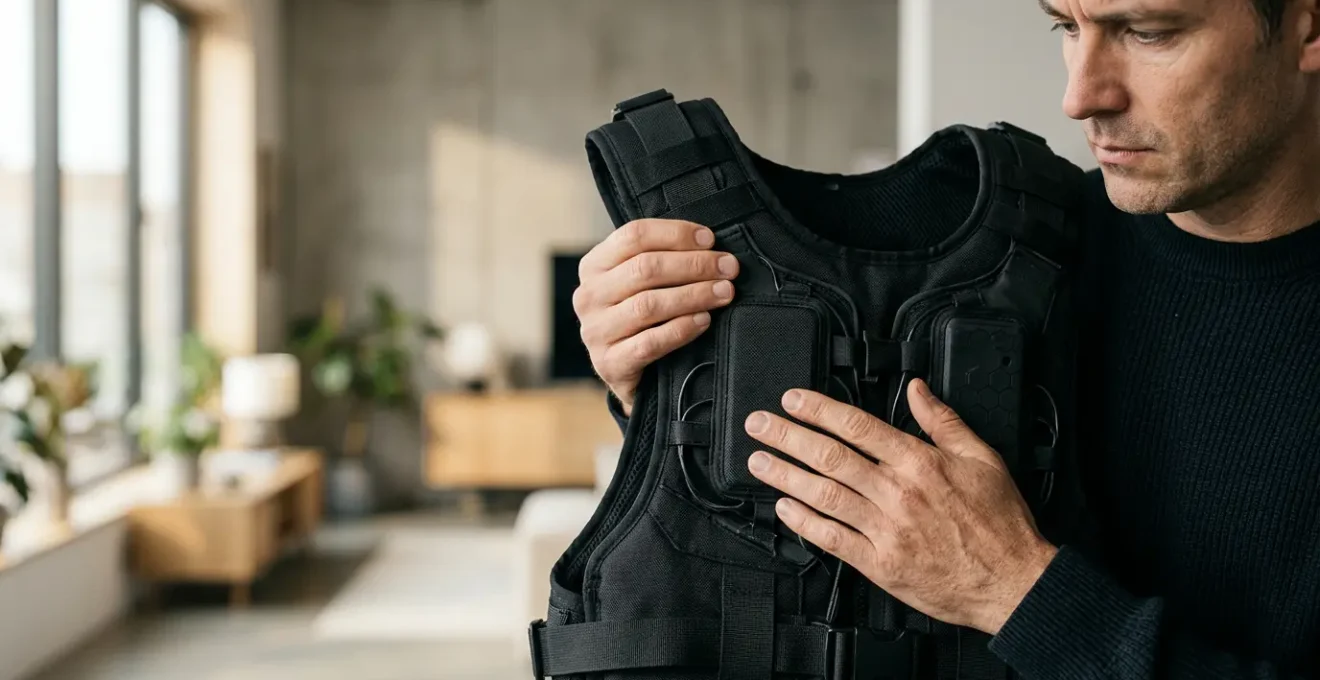
A haptic suit is more than an accessory; it’s a commitment to managing a complex balance of immersion, performance, and physical safety.
- Deeper immersion comes at the cost of a “performance tax” on your GPU, forcing a choice between visual fidelity and tactile feedback.
- True integration requires careful haptic calibration and play space management to prevent sensory dissonance and physical injury, moving far beyond ‘plug and play’.
Recommendation: Before investing, honestly assess your tolerance for technical tweaking and physical conditioning, not just your desire for more intense sensations.
For any hardcore VR gamer, the pursuit of deeper immersion is a constant, expensive quest. We’ve optimized our rigs, upgraded our headsets, and fine-tuned our tracking. Now, the next frontier beckons: haptic suits. The promise is intoxicating—to feel the impact of a bullet, the rumble of a nearby explosion, or the subtle texture of a virtual object. But with entry-level systems hovering around the $500 mark, a critical question emerges: is this investment a genuine leap forward, or just an expensive gimmick?
The common discourse revolves around the simple idea that feeling more equals better immersion. Marketing materials showcase dramatic reactions and heightened realism. Yet, this surface-level view ignores the crucial trade-offs that every serious user must confront. The reality of integrating a haptic suit into a high-performance gaming setup is a complex equation involving sensory science, hardware limitations, and even physical ergonomics. It’s not just about adding a peripheral; it’s about adding a new layer of potential system and sensory friction.
This isn’t another article that will just list popular haptic suits. Instead, we’re going to deconstruct the experience from a tester’s perspective. My angle is this: the true value of a haptic suit is not found in its maximum intensity, but in your ability to master the delicate balance between sensory gain, the inevitable performance tax it levies on your system, and the physical strain it can introduce. It’s an investment in a new sub-hobby of optimization as much as it is an investment in hardware.
We will break down the core technical hurdles, from the latency that induces nausea to the GPU load that fights for resources with visual enhancements like supersampling. We will also explore the often-overlooked physical and environmental factors, such as configuring your space for safety and mitigating the real risk of repetitive strain injuries. By the end, you’ll have a clear framework to decide if this $500 investment aligns with your goals as a dedicated VR enthusiast.
Summary: Deconstructing the Value of Haptic Feedback in VR
- Why High Latency Is the Main Cause of Nausea in VR?
- How to Configure Your Play Space to Avoid Injury During Immersion?
- Inside-Out vs Lighthouse Tracking: Which Offers Better Precision?
- The Sunlight Mistake That Ruins VR Headsets Instantly
- How to Use Supersampling to Sharpen VR Visuals Without Lag?
- Why Color Passthrough Changes How You Use VR at Home?
- The “Tennis Elbow” Risk in VR Boxing and How to Avoid It
- How to Host Effective Virtual Meetings in the Metaverse for Remote Teams?
Why High Latency Is the Main Cause of Nausea in VR?
Before we even discuss the quality of haptic feedback, we must address the absolute deal-breaker for any VR experience: latency. This is the delay between your physical movement and the corresponding update in the virtual world. When your brain perceives a disconnect between what your body feels and what your eyes see, it triggers a vestibular conflict, leading to nausea. Haptic suits add another layer to this problem. If you see an impact and feel it a split-second later, this sensory dissonance can amplify discomfort exponentially.
The numbers are stark; research indicates that between 40% to 70% of VR users experience some form of motion sickness after just 15 minutes. The industry goal is to keep “motion-to-photon” latency under 20 milliseconds (ms). Anything higher creates a noticeable and uncomfortable lag. Haptic feedback must operate within this same unforgiving window. The processing time for the game to register an event, send the signal to the suit, and for the motors to actuate, all contributes to this latency budget.
A cheap or poorly optimized haptic system can easily introduce enough delay to push a stable setup into the nausea zone. As researchers have noted, the human sensory system is remarkably sensitive. While one study on sensor latency in VR noted that users are not able to sense up to 20 ms of lag, this represents the absolute ceiling. A quality haptic experience must therefore not only provide meaningful feedback but do so with near-imperceptible delay, ensuring it enhances immersion rather than actively sabotaging it.
How to Configure Your Play Space to Avoid Injury During Immersion?
A haptic suit is designed to elicit physical reactions. A sudden impact in-game will make you flinch or recoil in the real world. This is the goal, but it introduces a significant safety variable: your physical environment. A play space that was perfectly safe for standard VR can become a hazard zone once your movements become more involuntary and pronounced. The standard 2m x 2m (6.5ft x 6.5ft) guardian boundary is a starting point, but it’s often insufficient for intense haptic experiences.
Hardcore gamers using haptic suits should aim for a minimum clear area of 3m x 3m (10ft x 10ft). This expanded buffer zone accounts for the sudden lunges, dodges, and stumbles that haptic feedback can induce. The primary goal is to eliminate all potential impact points within arm’s reach. This includes not just coffee tables and chairs, but also the sharp corners of desks, floor lamps, and even wall-mounted shelves. The weight of the suit itself, often adding 2-5 lbs, can affect your balance and momentum, making trips and falls more likely.
Configuring your space is not just about removing obstacles; it’s about creating a safe and efficient immersion pod. This involves smart cable management, especially for wired suits, using ceiling pulleys to prevent snagging. It also means strategically placing a “cooling station” with a fan and water bottle just outside your active zone, allowing you to cool down without fully breaking immersion by removing your headset. Your play space is no longer just a room; it becomes an integral part of the haptic system that requires deliberate design and respect.
Inside-Out vs Lighthouse Tracking: Which Offers Better Precision?
The precision of your virtual self is paramount. If your haptic suit tells you you’ve been shot in the left shoulder, but your avatar’s arm is lagging or positioned incorrectly, the immersion is shattered. This is where the debate between tracking technologies—headset-based “inside-out” versus external “Lighthouse” base stations—becomes critical for the haptic user. The common wisdom has long been that Lighthouse (outside-in) offers superior, sub-millimeter accuracy, making it the gold standard for professional and room-scale setups.
Lighthouse tracking works by flooding the room with infrared light, which is picked up by sensors on the headset and controllers. This provides an absolute position in a fixed space, resulting in incredibly stable and precise tracking. However, it’s expensive, requires a complex setup, and is prone to occlusion if you block the line of sight to the base stations. For a haptic user, turning your back to a sensor while recoiling from a felt impact could momentarily break tracking.
This is where modern inside-out tracking, which uses cameras on the headset to map the environment, has made astonishing progress. While technically providing “relative” accuracy, its convenience and resistance to occlusion are massive benefits. Counter to common belief, it’s not always less precise. In fact, a 2021 comparative study found that the Oculus Quest 2 tracks position with substantially higher precision and accuracy in height measurement than SteamVR Tracking under certain conditions. For a gamer whose primary interaction is forward-facing, a high-quality inside-out system can be more than sufficient, freeing up budget and setup complexity.
The following table breaks down the core trade-offs, which become even more important when considering the added complexity of a haptic system.
| Characteristic | Lighthouse Tracking (Outside-In) | Inside-Out Tracking (SLAM) |
|---|---|---|
| Precision Level | Absolute precision, sub-millimeter accuracy | Relative accuracy, sufficient for most use cases |
| Setup Complexity | Requires mounting 2+ base stations, calibration routines | No external hardware, immediate use |
| Portability | Fixed installation, not portable | Highly portable, works in any environment |
| Cost | Higher (base stations ~$300+ for pair) | Lower (built into headset) |
| Occlusion Risk | Yes, if user blocks line of sight to base stations | Less sensitive to occlusion |
| Ideal Use Case | Professional setups, full-body tracking, room-scale VR | Everyday use, simulation racing/flight, casual gaming |
| Ecosystem Support | SteamVR, extensive accessory compatibility | Quest, Windows MR, evolving standard |
The Sunlight Mistake That Ruins VR Headsets Instantly
This may seem like basic advice, but it’s a catastrophic and surprisingly common mistake that can instantly nullify your entire VR investment, including the $500 you just spent on a suit. The lenses in your VR headset are essentially magnifying glasses. Exposing them to direct sunlight, even for a few seconds, will focus the sun’s rays onto your delicate internal screens, causing permanent burn-in and dead pixels. It is a silent, immediate, and irreversible failure.
The official warnings are not exaggerations. Meta officially warns that less than a minute of exposure to direct sunlight can permanently damage the headset’s displays. Many users report damage occurring in a fraction of that time. As one VR safety expert puts it, the failure is brutally efficient:
Just a few seconds of direct sunlight hitting the lens at the right (or wrong) angle can be enough to cause permanent burn-in. It’s a quick, quiet, and catastrophic failure.
– VR Safety Expert, INAIRSPACE VR Headset Sunlight Damage Guide
Why is this particularly relevant for haptic suit users? Because a haptic suit encourages longer, more intense play sessions. You’re more likely to take a quick break, placing your headset down on a nearby table or desk without thinking. If that desk happens to be in a sunbeam, your session is over permanently. Always store your headset in a case, a drawer, or at the very least, with its lenses facing away from any windows. This isn’t just a best practice; it’s essential hardware insurance.
How to Use Supersampling to Sharpen VR Visuals Without Lag?
For a hardcore gamer, visual fidelity is just as important as immersion. This is where supersampling comes in. It’s a technique where the game is rendered at a higher resolution than the headset’s native display and then downscaled, resulting in a much sharper, clearer image with reduced aliasing (jagged edges). The effect can be transformative, but it comes at a steep cost: a massive increase in GPU workload. And this is precisely where the conflict with a haptic suit arises.
Your GPU has a finite amount of processing power. Running a haptic suit also consumes resources, both CPU cycles for logic and potentially GPU power if the game’s physics and haptic calculations are linked. This creates a “performance tax.” Every resource allocated to processing haptic feedback is a resource that cannot be used for supersampling, higher frame rates, or more complex lighting. You are forced into a zero-sum game: do you want a sharper world, or do you want to feel that world more deeply? You often can’t have both at their maximum settings.
Mastering this trade-off is an art. The strategy is to find the sweet spot. Start with all haptics disabled and find the highest supersampling level your GPU can maintain at a stable 90 or 120Hz. This is your visual baseline. Then, enable the haptic suit and begin to dial back the supersampling incrementally until performance is stable again. For many, a moderate supersampling level (e.g., 1.2x) combined with meaningful haptics is a better overall experience than a crystal-clear image with no tactile feedback, or intense haptics in a blurry world. It’s a compromise, but a necessary one for a balanced, high-end experience.
Why Color Passthrough Changes How You Use VR at Home?
For years, the goal of VR was total immersion in a virtual world. The real world was an obstacle to be blocked out. However, the advent of high-quality, low-latency color passthrough on modern headsets is flipping this paradigm on its head. Being able to see your real environment in full color without removing the headset creates a powerful form of mixed reality, and it fundamentally changes the value proposition of a haptic suit.
Instead of just feeling an abstract vibration, you can now see your real hand resting on your real desk and feel a haptic buzz as a virtual interface appears on it. You can grab a real-world water bottle while still seeing game overlays. This blending of worlds drastically reduces friction and enhances spatial awareness. The haptic feedback is no longer just a proxy for a virtual event; it becomes a bridge between the digital and the physical. This concept is supported by recent findings in the field.
Case Study: Multi-Sensory Feedback and Presence
A 2024 study on multi-sensory feedback in immersive VR found that combining visual passthrough with haptic feedback creates substantially higher levels of engagement and enjoyment. Participants reported dramatically improved spatial awareness and a greater sense of presence when they could see their real environment while receiving tactile sensations, feeling that digital objects had a more tangible, “real” quality.
This synergy creates a more grounded and less isolating experience. The “fear” of the guardian boundary diminishes when you can perceive the edge of your play space naturally. For a haptic suit user, this means you can react more boldly to feedback, knowing you have a persistent, subconscious awareness of your physical surroundings. The haptic suit stops being a tool for pure escapism and becomes a tool for enhancing your interaction with a digitally augmented reality. It allows for a deeper emotional connection by making the virtual feel physically present in your own space.
Key takeaways
- The value of a haptic suit is a trade-off: sensory gain is weighed against a real “performance tax” on your GPU and CPU.
- Latency is the enemy of comfort. A haptic suit must deliver feedback within the sub-20ms window to prevent sensory dissonance and nausea.
- Your physical body and play space are part of the system. Proper configuration and haptic calibration are non-negotiable for safety and preventing long-term strain.
- Beyond gaming, haptics are proving to enhance feelings of co-presence and emotional connection in social and professional virtual environments.
The “Tennis Elbow” Risk in VR Boxing and How to Avoid It
High-intensity VR games like boxing or sword-fighting are prime candidates for haptic integration. Feeling the impact of a blocked punch or a parried strike adds incredible feedback. However, it also introduces a significant risk of repetitive strain injuries, colloquially known as “VR elbow” or “tennis elbow.” This happens when the haptic feedback encourages you to tense your muscles or “punch through” the virtual target with more force than necessary, leading to inflammation of the tendons in your forearm and elbow.
The problem is one of feedback calibration. Many users, seeking maximum immersion, will crank the haptic intensity to 100%. While a powerful thump from the suit feels impressive, it subconsciously trains your body to meet that force with equal or greater physical exertion. Over hundreds of punches in a session, this leads to ergonomic debt—a physical cost that accumulates over time and can lead to chronic pain, forcing you to stop playing altogether. The goal is not to perfectly simulate the bone-jarring impact of a real punch, but to provide a sufficient sensory cue that your brain can interpret as a successful hit.
Effective injury prevention requires a disciplined approach to haptic calibration. This means consciously tuning the feedback intensity based on your fitness level and physical response, not just the pursuit of realism. Prioritizing long-term playability over short-term intensity is the mindset of a true hardcore gamer. If you feel yourself tensing up to “fight” the feedback, the intensity is too high. A subtle, sharp buzz is often more effective and far safer than a powerful, jarring thump.
Your Pre-Session Checklist for Haptic Injury Prevention
- Start with haptic intensity set to 30-40% during your first session to establish a physical baseline.
- Monitor muscle tension: if you find yourself tensing or punching harder to match the feedback, reduce intensity by 10-15%.
- Implement mandatory 10-minute rest breaks every 30 minutes of intense haptic-enabled VR boxing to prevent repetitive strain.
- Calibrate haptic feedback based on your fitness level, not realism. Prioritize long-term playability over maximum immersion.
- If you experience any elbow or shoulder discomfort, immediately reduce haptic intensity to 20% or disable impact feedback for 48-72 hours.
How to Host Effective Virtual Meetings in the Metaverse for Remote Teams?
While the primary focus for a hardcore gamer is entertainment, the technology underpinning haptic suits has profound implications beyond the virtual arena. The same principles of enhancing presence and communication apply directly to the future of remote work and social interaction in the metaverse. For remote teams, the biggest challenge with video conferencing is the lack of co-presence—the feeling of actually sharing a space with colleagues. Haptics offers a potential solution.
Imagine a virtual handshake that provides a subtle buzz, or a congratulatory pat on the back that you can actually feel. These small, non-verbal cues are the bedrock of human interaction, and they are completely lost in traditional remote work tools. A 2024 systematic review of haptics in social VR confirmed this, finding that incorporating touch enables more naturalistic and meaningful social interactions, significantly enhancing feelings of co-presence and emotional interdependence among remote team members.
For a virtual meeting, this means interactions feel more “human” and less transactional. Brainstorming sessions become more dynamic when you can physically feel a “tap” to get your attention. Team-building exercises gain a new dimension. While the hardware is still maturing, the application is clear: haptics can transform sterile virtual rooms into vibrant collaborative spaces. The technology a gamer uses for fun today is building the foundation for how a global corporation will connect its workforce tomorrow. The investment in a haptic suit, therefore, can also be seen as an early look into the future of digital-physical communication.
So, is a haptic suit worth the $500 investment? After dissecting the technical, physical, and performance trade-offs, the answer is a clear “it depends.” It’s not a simple plug-and-play upgrade. It is an investment for the enthusiast who enjoys the process of optimization—the gamer willing to balance supersampling against haptic load, meticulously configure their play space, and consciously calibrate feedback to prevent injury. If you are looking for a simple, fire-and-forget immersion boost, you may be disappointed. But if you see VR as a system to be mastered, and you are prepared to manage the associated costs, then a haptic suit can unlock a new, deeply rewarding layer of sensory immersion that visuals and audio alone can never provide. The first step is to critically evaluate your own setup and tolerance for this new layer of complexity.